These images were taken with Mozilla 0.9.7 on Linux. To view a full sized picture, just click on the thumbnail image or the link below it. The first screen can be viewed here, where the user enters their username and password to log into the IMAP server.
Compose
When composing an email inside WebMail, all the necessary features are within reach. The compose screen allows for spell checking, attachments, and priorities. |
Message List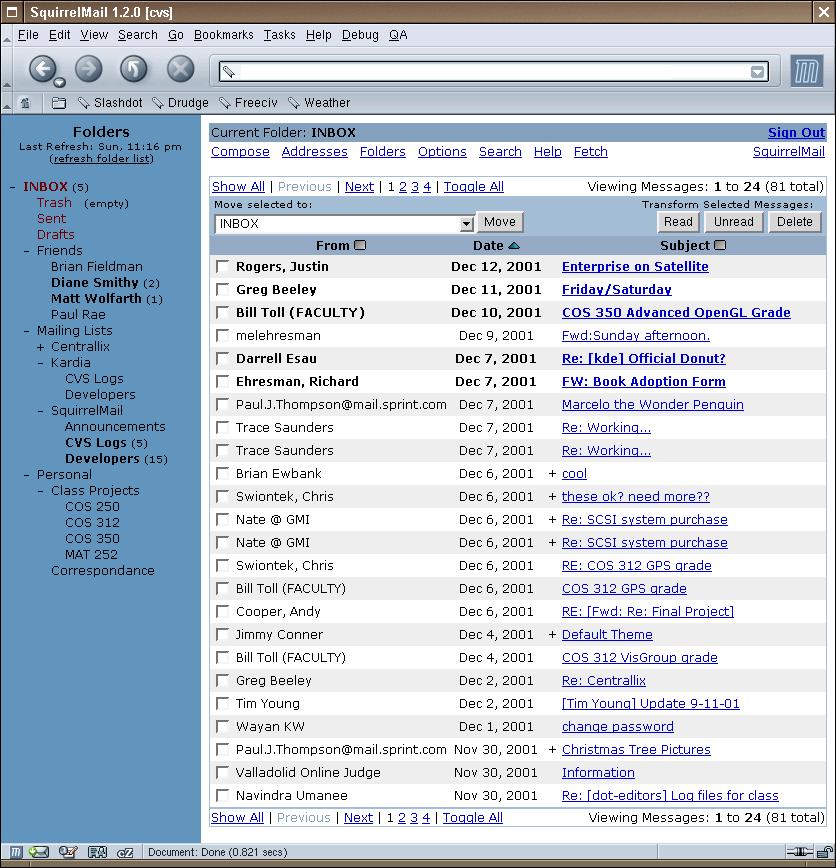
After the user logs in, the first folder that is opened is the INBOX. This is the summary of the INBOX folder with the message listing on the right, and the folder listing on the left. The folder list (left) and tool bar (top) are always present inside SquirrelMail for easy navigation. |
|
|
|
Reading a Message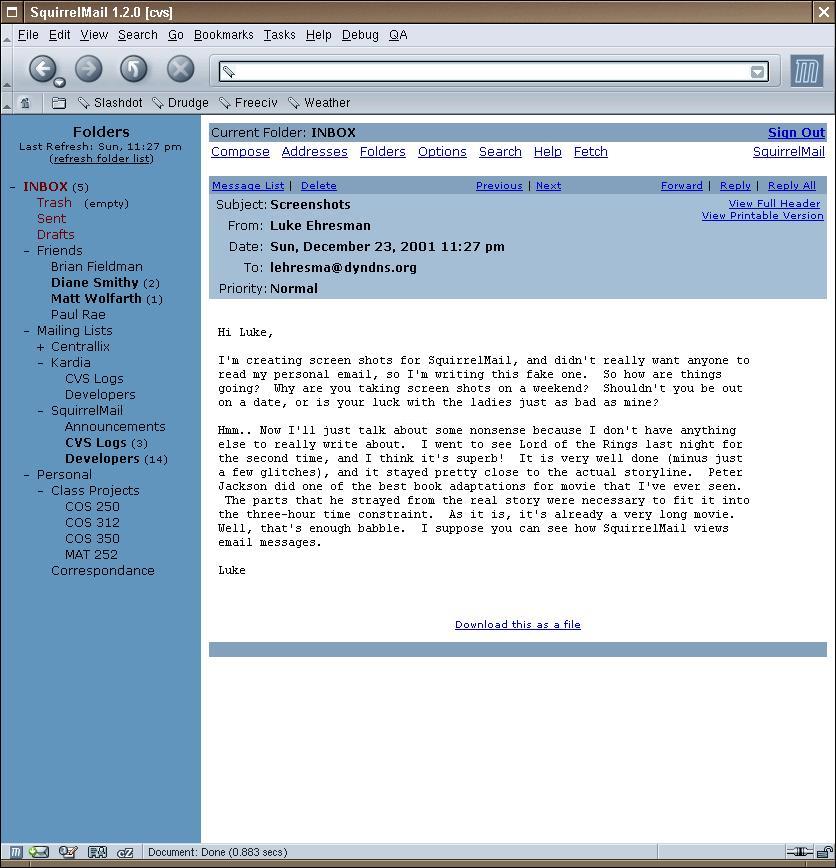
One of the most common tasks performed by an email client is actually reading messages. This is the message reader for SquirrelMail. It is designed to allow unobstructed and easy reading. |
Folder Management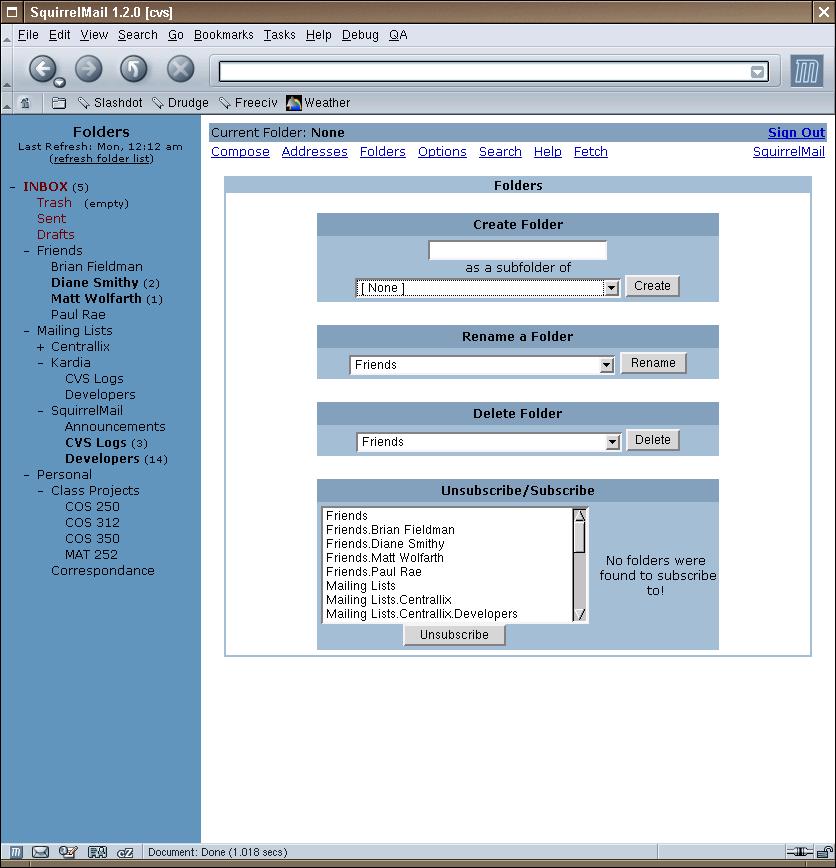 Since IMAP folders are stored on the server, it is also essential to have a proper folder management utility. SquirrelMail supports all the necessary functions used when managing folders: create, delete, rename, subscribe, and unsubscribe. |
|
|
|
Options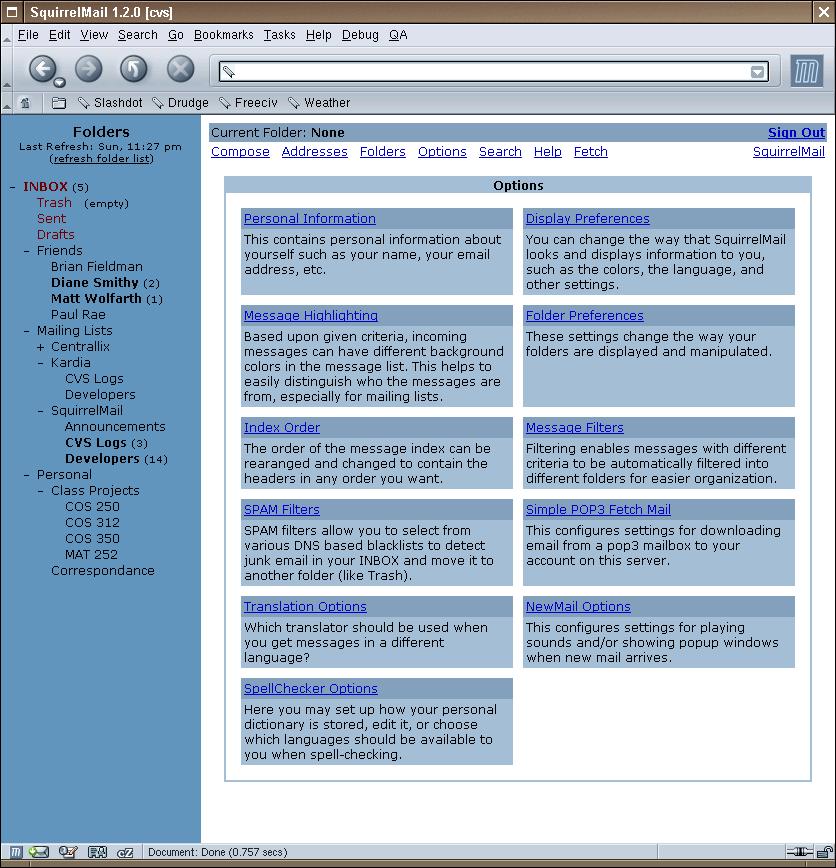 WebMail is highly configurable. There are five main configuration sections included in the base distribution. Plugins can also create option sections that integrate seamlessly into the rest of the options. |
Display Options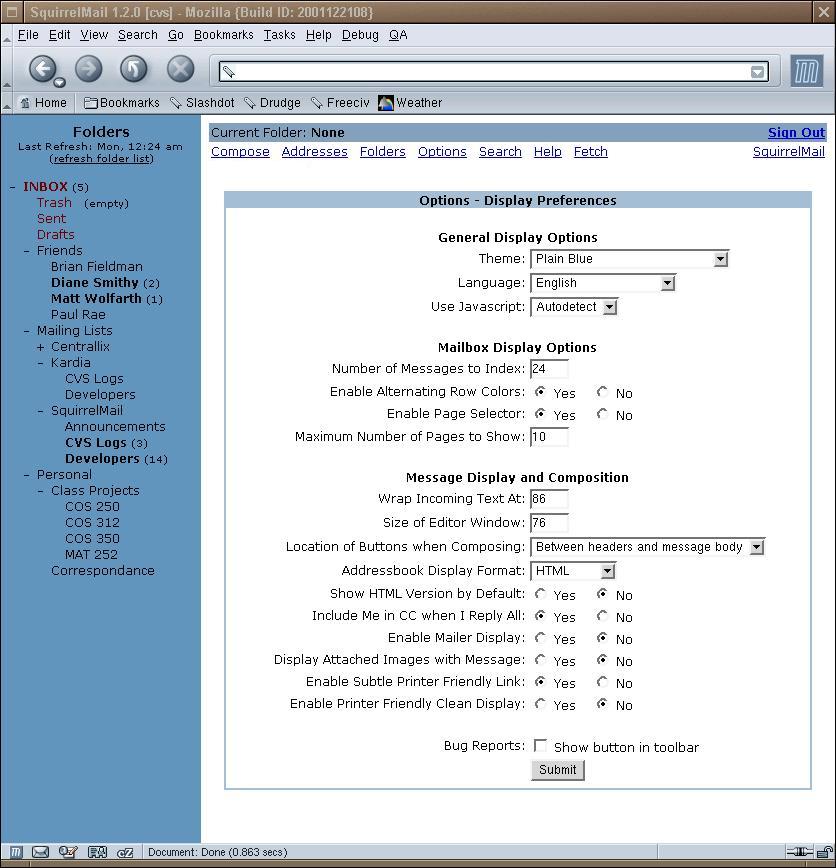
Here is a close-up look at one of the options sections, the display options. This is where the look and feel of SquirrelMail can be tweaked by the user and has such options as language, theme, the use of JavaScript, etc. |
|
|
|
|
|
| Get the Networking Concepts advantage.
We have the experience to take your business to new heights. Phone: 910.323.4477 Fax: 910.323.4459 Email: sales 


|